FreshWebz Web Design Colchester

Affordable Web Design Colchester

Email : enquiries @ freshwebz.co.uk
  • Home
  • About FreshWebz
  • Web Services
    • Domain Name Registration
    • Web Hosting Services
      • Super-fast WordPress Hosting
    • Web Design
      • Responsive Web Design
      • WordPress Website Design
        • Super-fast WordPress Hosting
    • Ecommerce Website Design
      • Bigcommerce Websites
  • SEO
    • SEO Website Audit
  • Portfolio
    • Client Sites
    • Our Websites
    • Projects
    • Old Websites
  • Prices
  • Contact Us
  • Blog

Is your Site Mobile Friendly?

May 18, 2017 By freshwebz

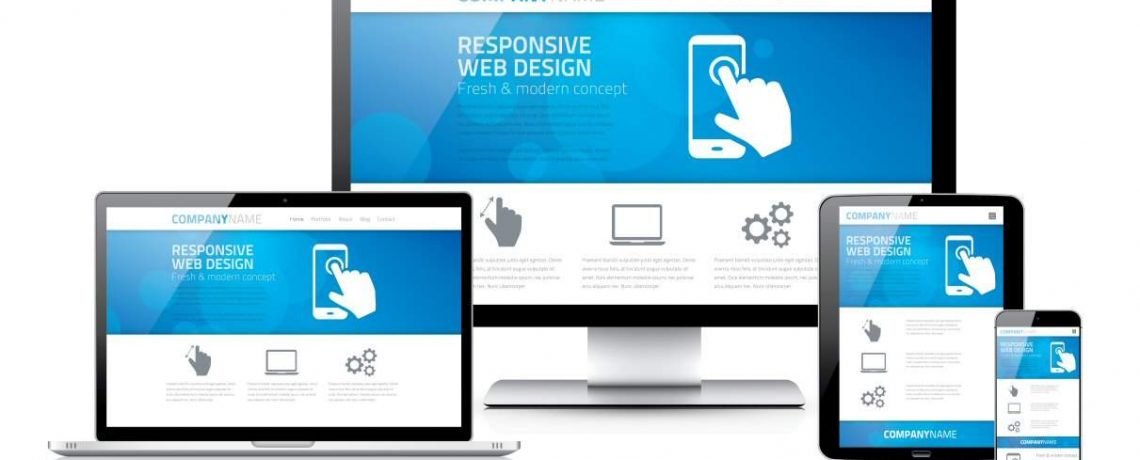
Mobile Friendly, Responsive Website Design

Is your site mobile-friendly? When we say this we mean does your website work well on devices with smaller screens than traditional desktop/laptop computers? Not only is this important from a user's point of view, but the search engines now include mobile-friendliness as one of their metrics when deciding where you should appear in their search results.

In the UK, when we say "Search Engine", we pretty much mean "Google". As at April 2017, Google had the highest market share of search by far, with 85.74% of the desktop, tablet and console search engine market here. After Google comes Bing, with a market share of 10.07%, followed by Yahoo! with 3.16%.*

So, if you want your site to rank well in Google, one of the elements you need to get right, is mobile friendliness i.e. whether your site displays well on smartphones and tablets!

Why Does Being Mobile Friendly Matter?

Google Likes It

If you want your site to do well on search engines, you have to make sure you meet their standards and in April 2015, Google included mobile-friendliness in its algorithm, providing a significant edge to mobile search rankings of web pages that are mobile friendly.

responsive web design


Users Like It

In late 2016, the number of people using mobile and tablet to browse the Internet exceeded the number using desktop for the first time!** The figures for the younger generation far outweigh those of older people, so this statistic is only going to increase over time. People that visit a non-mobile friendly site via mobile/tablet will generally:

  • spend less time browsing the site (smartphone users are quick to give up on a website they can't read properly)
  • be less likely to perform any desirable actions (such as making a purchase or contacting you)
  • be more likely to return back to the search engine results (to find/visit another website)

This means that even if your site is found on search, if it isn't mobile-friendly, over 50% of visitors are less likely to engage with your business.

How Do you ensure an effective Mobile Responsive site?

Google says there are 3 main things that you should consider when building a Mobile Friendly site:

  • Ease of use for site visitors: The site design should be able to self explain the site flow and objective so that a visitor is able to easily accomplish their common tasks. In other words, streamlining the user experience and reducing the number of user interactions to accomplish a given task
  • Measuring the effectiveness of the above Ease of Use
  • Developing the design such that one site works on all devices (i.e. Desktop, Laptop, Tablets and Mobiles) rather than making separate sites for each device as happened only a couple of years ago. Known as Responsive Design, the site design automatically adjusts in accordance to the screen size of the device.
Check to see if your current website passes the mobile friendliness test, using Google's Mobile Friendly Test tool.

Website is Mobile Friendly

Better Websites

As already mentioned, with the advancement of mobile technology, the number of people using Mobile Devices to browse the Internet is increasing year by year. But clearly there are still many people still using the traditional desktop/laptop, so it's vital that your website works effectively on all screen sizes/resolutions (big and small). Ignoring market trends could be a blunder for any company's Internet presence, as a bad mobile experience will have your customers jump to your competitors instead. Whilst Responsive Web Design isn't the only thing that drives sales, having a site that functions well on multiple devices is essential for a good user experience; which keeps more visitors on your site and usually results in more sales.

Where can I find help?

If you've checked whether your site is mobile-friendly and have found that it isn't, contact us to help improve your sites appearance and functionality on mobile devices. Whether it's making your existing site more responsive, redesigning your site from scratch or just providing your options, we can give give you the answers to bring about a positive impact on your business. We can work with you, to create an attractive site that uses the latest web technologies to look good on a range of devices and deliver a superior experience to visitors.

Contact us now if you would like assistance on responsive design or any other web development needs.

*Source : https://www.statista.com/statistics/280269/market-share-held-by-search-engines-in-the-united-kingdom
**Source : http://gs.statcounter.com/press/mobile-and-tablet-internet-usage-exceeds-desktop-for-first-time-worldwide

Filed Under: Google, Mobile Search, Responsive Web Design, Search Engine Rankings, SEO, Web Design

New Website Development Project for JS Leisure

September 24, 2016 By freshwebz

Our latest website development project is the complete redesign of an existing site, to bring it up to date and make it mobile-friendly, for viewing on smart-phone and tablet.

JS Leisure is a family business, that provides entertainment for corporate events, fund-raising fun days, children's party or social events, by way of hiring a range of products including Trampolines, a Roundabout, Traditional Hook A Duck, Victorian Style Strikers, Inflatable Slide and Bouncy Castles!

The existing website was built around 10 years ago and although it had some tweaking done by us a few years back, the owner's decided it's now time for a completely new site.

There are a number of elements that don't even work in certain desktop browsers any more, so it's definitely not going to view well on a phone and as over 50% of searches are now carried out on phones, it's vital that a business website works well on them!

The client has given an example of a website they like the look of and another that they definitely don't, so it should be fairly straightforward to create something that will do the job and look the part!

Old JS Leisure website

They want to be able to update the site themselves, add new services and pictures of them on location, so the website is being developed on WordPress. This is the easiest and cheapest way of providing them with a content management system (CMS), on a flexible platform.

Work is already under way on the website development, so we'll update this post once it's up and running!

The new JS Leisure website was completed and has been up for some time, so we thought it was time to update this post!

The new site is responsive, so it looks good on mobile/smartphone and tablet, as well as traditional desktop/laptop screens. We're shortly about to carry out some SEO on the site, in order to target specific keywords for the client.

JS Leisure website design

Filed Under: Responsive Web Design, Web Design, Wordpress

WordPress Malware Scanning Now Powered by Sucuri SiteCheck in iThemes Security

September 16, 2015 By freshwebz

Our recommended WordPress Security plugin,  iThemes Security, now has Malware Scanning powered by Sucuri SiteCheck, which uses a 10-point site check to scan your site for known malware, blacklist status, website errors and out-of-date software.

Sucuri scanners use the latest in fingerprinting technology allowing you to determine if your web applications are out of date, exploited with malware, or even blacklisted. The scanner also monitors your DNS, SSL certs & WhoIs records.

To start using Malware Scanning in iThemes Security, visit the Settings tab. From the dropdown menu, select Malware Scanning.

WordPress Malware Scanning

From the Malware Scanning section, click the Scan Homepage for Malware button.

Sucuri SiteCheck will go to work and then give you the results of the malware scan. You can also view the results from the Logs page.

The free version of iThemes Security allows you to manually run malware scans on the homepage of your site. To run automated malware scanning you will need to upgrade to iThemes Security Pro.

Filed Under: Wordpress

How to make positive changes to a web page

August 20, 2015 By freshwebz

Changes to a WebpageIf you feel that your website is under performing, it could be due to poor website design. However, before you scrap your current site, there are a few things that you can do to make positive changes.

Point of interest

Every page of your site should have a point of interest. If you have a lot of assets on your page, it could come across messy and disorganised, meaning a visitor might find it difficult to navigate or find the relevant information, leading to a bounce. To counteract this, find the key point of the page and make it a focus point. This could be a logo, product image, price or important line of copy. Sticking to your brand guidelines, alter the size, shape, orientation and colour to make this point of interest really stand out.

Colours

Choose the right colours for the page. Having a defined colour palette is important. Too many contrasting colours will confuse and detract from the overall feel of the page. Using complementary colours will add a touch of subtlety, simplicity, freshness and style; however, contrasting colours will make a page much more dynamic, sleek, contemporary and energetic.

Content

It’s not all about appearance though, and you should consider content as very important. From an SEO perspective, content will drive people to your site, and well-written content will get them to stay and engage with the rest of your page and site. Content should be informative, entertaining and easy to read. Text should be split into paragraphs and sentences shouldn’t be too long or convoluted. Of course, font style, colour and size are important for readability but sometimes these are restricted by brand. Try, where possible, to make the font as reader-friendly as you can, i.e. not too small and not an obscure colour.

Once you implement these positive design changes, visitor interaction should increase. One final note: it can sometimes be difficult to be subjective about your work. Take a step back, sleep on it and ask the honest opinion of a colleague or friend. Once you’re happy with the design, get a family member to sit down and test it out and ask for their feedback as they go along. Then, if you still think you can make positive changes, go ahead. If you think you’ve got it perfect, launch the page!

Filed Under: Web Design

Backing Up a WordPress Website

August 9, 2015 By freshwebz

We wrote in our previous article about the popularity of WordPress as a foundation for websites around the world and resultant attempts by hackers to exploit vulnerabilities in the code of not only WordPress itself, but also the plugins that extend its functionality.

We explained that it was possible to secure your WordPress site way beyond the standard level offered by a default installation, but even a reasonably secure website could be exploited and malicious code injected into it and unfortunately once infected, it's pretty much curtains for your website, unless you want to spend around £150 having it cleaned.

A much better option is to back up your website files and database on a regular basis! Our web hosting has the facility to back up files and databases but it means logging into your hosting control panel to manually run the backups and let's face it, no small business owner wants to be messing around like that!

Our preferred WordPress security package, iThemes Security, has the option to backup files and databases, but we have found it to be a bit "glitchy"; not backing up for certain reasons and requiring manual adjustments to parts of the website that everyday users won't want to do.

We decided to turn off the backup feature of iThemes and use a dedicated backup tool instead, namely UpdraftPlus Backup and Restoration. This is the highest ranking backup plugin on WordPress.org and allows you to backup in a variety of ways and restore with a single click. The best thing is that it's a completely FREE tool and allows backup via Amazon S3 (or compatible), Dropbox, Google Drive, Rackspace Cloud, DreamObjects, FTP, Microsoft OneDrive, SFTP, SCP, WebDAV, OpenStack Swift and email, although certain of the offered cloud backup services (Microsoft One Drive for example) require paid-for add-ins to be purchased.

Backup your WordPress website

However, we configured our sites to utilise our free Dropbox account and backups to this are included with the standard plugin. Backups of files and database can have separate schedules, with every 4, 8, 12 hours; daily; weekly; fortnightly; monthly on offer and the ability to customised further. You can also specify the number of backups that should be kept, which is useful because it might be a few days before you realise your website has been compromised and you will want to have clean historical backups to restore from!

Configure your backup settings and schedule

We can't emphasise enough that you need to be backing up your WordPress (or any other) website on a regular basis. It's one of those things that you really won't know how important it is until it happens to you!

Filed Under: Web Design, Wordpress

  • 1
  • 2
  • 3
  • …
  • 14
  • Next Page »

Recent Posts

  • Is your Site Mobile Friendly?
  • New Website Development Project for JS Leisure
  • WordPress Malware Scanning Now Powered by Sucuri SiteCheck in iThemes Security
  • How to make positive changes to a web page
  • Backing Up a WordPress Website
  • How To Protect Your WordPress Website Against Hackers
  • 5 Incredible Tips To Improve Your SEO With Social Media
  • WordPress SEO plugin security alert
  • Upcoming mobile changes to Google’s ranking algorithm for searchers on mobile devices
  • New Website Design for FreshWebz!

Categories

Services We Recommend

Heart Internet Reseller

StudioPress Premium WordPress Themes

SEO PowerSuite

Elegant Themes - Premium WordPress Themes

FreshWebz Web Design Colchester

We are a web design company specialising in working with small to medium-sized businesses. We offer high quality website design, as well as a range of other online web services, for any individual, sole trader, small business, SME or UK company. Our services are geared to both new and established business owners requiring a professional, affordable website design solution with local on-going Colchester based support. Contact us for an informal chat, to see how we can improve your business' web presence!

Contact Us Today!

Contact Us

FreshWebz Web Design
E : enquiries @ freshwebz.co.uk

Who We Are

We are a Colchester Web Design company, specialising in creating Affordable Websites for Sole Traders, Start-Ups and Established Small Businesses in Colchester and surrounding areas. We provide Affordable Web Design, Mobile Friendly / Responsive Websites, CMS Websites and eCommerce Websites that are affordable, professional and easy to use. Visit our Web Services page to find out more about what we can offer your business.

Recent Posts

  • Is your Site Mobile Friendly?
  • New Website Development Project for JS Leisure
  • WordPress Malware Scanning Now Powered by Sucuri SiteCheck in iThemes Security
  • How to make positive changes to a web page

Copyright © 2026 · Outreach Pro On Genesis Framework · WordPress · Log in