FreshWebz Web Design Colchester

Affordable Web Design Colchester

Email : enquiries @ freshwebz.co.uk
  • Home
  • About FreshWebz
  • Web Services
    • Domain Name Registration
    • Web Hosting Services
      • Super-fast WordPress Hosting
    • Web Design
      • Responsive Web Design
      • WordPress Website Design
        • Super-fast WordPress Hosting
    • Ecommerce Website Design
      • Bigcommerce Websites
  • SEO
    • SEO Website Audit
  • Portfolio
    • Client Sites
    • Our Websites
    • Projects
    • Old Websites
  • Prices
  • Contact Us
  • Blog

How To Protect Your WordPress Website Against Hackers

August 8, 2015 By freshwebz

Because it's the most popular content management system in use on the Internet, WordPress websites are a common target for hackers and spammers. That is why it is vital to take measures to make your WordPress website as secure as possible.

Whilst most people would assume that a hacked website would simply be defaced and the site replaced with a message to visitors such as "Your Website Has Been Hacked by SOMESILLYNAME!", in reality, the aim of most hacks is to infect your website with malware without you or anyone else knowing! Some of the common malware threats include:

  • Pharma Hacks – Injects spam into the website database or files
  • Backdoors – Allows hackers to gain access to the website at any time via FTP or the WordPress admin area
  • Drive by Downloads – A script downloads a file to the users computer, either without their knowledge or by misleading the visitor and saying the software does something useful
  • File and Database Injections – Inserts code into the files or database that lets the hackers do a number of different things
  • Malicious Redirects – Redirects website visitors to a page of theirs that misleads people into downloading an infected file
  • Phishing – Used to acquire usernames, passwords, email addresses and other sensitive information

The reason that hackers generally want their hack not to be noticed is because the longer you don't know your website is infected, the longer they can use it to send spam emails and infect your visitor's computers.

In order to keep a WordPress installation secure, you need to ensure that you keep plugins to a minimum and update them as soon as new versions are released! It can be very tempting to add dozens and dozens of plugins to your WordPress site and give it loads of bells and whistles, but the more plugins you have, the more chance there is that one of them could have a vulnerability. Only install the plugins you need and remove any you aren't using........you can always install them again later if need be.

If a plugin hasn't been updated for a long time, then it's possible that the developer has stopped supporting it and you should consider whether it's safe to keep using. You can find out what plugins have known issues by visiting the WPScan Vulnerability Database. Alternatively there are plugins(!!) that utilise the database to tell you whether any of the plugins you have installed have issues. A scan of this very site with Plugin Vulnerabilities revealed that none of my current plugins have vulnerabilities, but earlier versions did have:

Google Analytics by Yoast4.2-5.3.2 - persistent cross-site scripting (XSS)
Page Builder by SiteOrigin2.0-2.0.4 - reflected cross-site scripting (XSS)
Wordfence Security3.6.1-5.1.2 - reflected cross-site scripting (XSS)
Wordfence Security1.1-5.2.2 - persistent cross-site scripting (XSS)
Yoast SEO1.5.0-1.5.6 - cross-site request forgery (CSRF)/SQL injection
Yoast SEO1.6-1.6.3 - cross-site request forgery (CSRF)/SQL injection
Yoast SEO1.7-1.7.3.3 - cross-site request forgery (CSRF)/SQL injection

This shows the importance of updating plugins as soon as a new version is released!

Further to this, it is recommended that you install a security plugin, which can walk you through all the steps required to make your site more secure. We use iThemes Security (formerly Better WP Security) and it is best to install this as the first plugin you use, as some of the recommended changes cannot be made after you start to build your site and add content. However, even installing and implementing the basic changes on an established WordPress site WILL make it more secure.

As even a secure WordPress website can be hacked without the owner knowing, it is important that you also scan your website regularly to detect if any hidden malware has been injected into your site! As a web host, we shut down sites as soon as we realise they are compromised, but by then it might be too late. Your site is lost and your domain might even be blacklisted!

Our web hosting plans allow you to carry out a full back-up of your website and database, but this involves manually running the back-up. There are automated ways to back-up your website, which we will discuss in the next article. Plus, in a future article we will tell you about the various services and plugin solutions that will help you detect if malicious malware has been injected into your WordPress website, so you can take immediate action!
Filed Under: Web Design, Wordpress

5 Incredible Tips To Improve Your SEO With Social Media

July 16, 2015 By freshwebz

In 2015, it goes without saying that social media is key to any online marketing strategy, although understanding that it matters is only a fraction of the battle. Putting into practice methods that actively drive traffic to your site – traffic which then converts – is where it really matters. In this blog, we’ll take a look at five practices which can improve your site’s SEO via social media.

Keep a calendar

Putting a social media calendar in place is more than simply making events available on Facebook. Plan your promotions and offers for multiple weeks (and in some cases months) in advance to ensure an effective, varied campaign. Think about what generates sales at a particular time of year when planning your promo. Find out what dates are key to your industry as a whole and allow these to influence your marketing.

Creative innovative, exciting content

Content is still king – just look at some of the most successful social media marketing campaigns of the past couple of years for proof. If you can create content that entertains your followers and relates to them, they’ll be comfortable sharing it and this ultimately drives clicks to your site. Think before you post, the last thing you want is to appear like a spammer, and a poorly executed social media campaign can turn your company into a laughing stock – who could forget #susanalbumparty, for example.

Don’t shy away from searchable keywords

Relevant keywords and hashtags in your social media posts will help to direct users searching for terms relevant to your products to ultimately end up on your site via your social content. Do your research and find out what short and long-tail keywords are likely to drive traffic to your site, and put them to use.

Use direct links to your site to help with indexing

Most social media networks are beneficial purely because they provide good ‘link juice’. The larger social sites have incredibly high page rankings, meaning that search engines tend to index your site quicker when links to it appear on Twitter, Facebook, LinkedIn, YouTube and others.

Consider search engine algorithms

The largest search engines are thought to now incorporate algorithms which take into account social media links, meaning that few can now afford not to take social media optimisation (SMO) into account. It’s now inconceivable that you can run an online store or site without having social accounts, so if you haven’t already, you need to begin setting up or at least employing the services of a consultant who can help, if it’s not your forte.

Filed Under: Facebook, Link Building, LinkedIn, SEO, Social Media, Twitter, YouTube

WordPress SEO plugin security alert

March 13, 2015 By freshwebz

If you are using the WordPress SEO by Yoast plugin (version 1.7.3.3), please ensure you have updated to the latest version (1.7.4), as a SQL injection vulnerability has been reported by the WP Scan Vulnerability Database.

Because of the severity of the issue, the WordPress.org team put out a forced automatic update! If you didn’t specifically disable those and you were:

  • running on 1.7 or higher, you’ll have been auto-updated to 1.7.4.
  • If you were running on 1.6.*, you’ll have been updated to 1.6.4.
  • If you were running on 1.5.*, you’ll have been updated to 1.5.7.

If you are on an older version, we can’t auto-update you, but you should really update for tons of reasons. Of course you should really move to 1.7.4 as soon as you can anyway.

Filed Under: News

Upcoming mobile changes to Google’s ranking algorithm for searchers on mobile devices

March 9, 2015 By freshwebz

From 21st April, Google will be expanding the use of mobile-friendliness as a ranking signal. This change will have a significant impact in search results and users will find it easier to get relevant, high quality search results that are optimised for their devices.

So much website traffic is now coming from smartphones and tablets, Google is assessing all sites in its index for mobile friendliness and this change will be be pushed into its algorithm on that date.

When determining if a website is mobile friendly, Google bases this on a page by page case and all pages must be mobile friendly. Creating some pages, even the majority of pages, as mobile friendly will not mean your entire site passes the check.

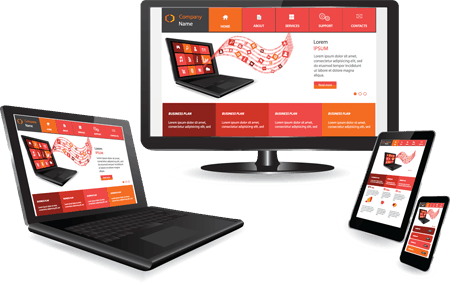
Responsive websites adjust to suit whatever device you are using

Your site must allow Google to crawl CSS & javascript

If you are blocking elements such as CSS and javascript, your site will not pass Google’s mobile friendly test, even if everything else on the site passes.

Because Google has been pushing responsive design as a way to handle mobile traffic, some have speculated that it will receive a ranking boost over and above other types of mobile optimisation. However, Google says that they only recommend it because it works well for Google, so they believe that solution will work for almost everyone else. Other systems of mobile adaptation will not be treated as second class.

You can find out if your site is ready for this change by using the following tools to see how Googlebot views your pages:

  • If you want to test a few pages, you can use the Mobile-Friendly Test.
  • If you have a site, you can use your Webmaster Tools account to get a full list of mobile usability issues across your site using the Mobile Usability Report.

To get help with making a mobile-friendly site, check out Google's guide to mobile-friendly sites, or contact us to discuss our responsive web design services.

Filed Under: Google, Mobile Search, Responsive Web Design, Search Engine Rankings

New Website Design for FreshWebz!

November 7, 2014 By freshwebz

Well, it’s been a long time coming and is certainly long overdue, but we’ve finally launched a new website design for FreshWebz! My previous website was built in 2010 and it looked really dated!

Web Design has moved on in leaps and bounds over the last 4 years and that old site just wasn’t up to scratch; especially for a company offering web design to other businesses!

In fact, one half-completed replacement site was completely junked, as it was no longer going to meet the needs of the modern internet user! Mobile, smartphone and tablet browsing has taken off in the last couple of years and it was essential that the new website design was in line with these requirements – the new website design is responsive and therefore looks great on smartphones and tablets as well as desktops/laptops.

There are still plenty of changes I want to make as I go along, but at least the core elements are up and running and it looks a much more appropriate for a web design company!!

We emphasise that we offer web design for small businesses in London and Essex, mention our very affordable web hosting packages, and push WordPress design and e-Commerce to the fore.

The new site is built on the WordPress installation I was using for the old Web Design Blog, which is why there are loads of old (and in some cases irrelevant) blog posts that I am also whittling away! On top of that I now have to carry out a complete SEO audit, ensuring that the new pages are optimised and the old blog posts meet the latest standards of SEO……..could be a big job as there are lots of old blog elements that need removing!

Hope you like the new look 🙂

Filed Under: Freshwebz, News

  • « Previous Page
  • 1
  • 2
  • 3
  • 4
  • …
  • 14
  • Next Page »

Recent Posts

  • Is your Site Mobile Friendly?
  • New Website Development Project for JS Leisure
  • WordPress Malware Scanning Now Powered by Sucuri SiteCheck in iThemes Security
  • How to make positive changes to a web page
  • Backing Up a WordPress Website
  • How To Protect Your WordPress Website Against Hackers
  • 5 Incredible Tips To Improve Your SEO With Social Media
  • WordPress SEO plugin security alert
  • Upcoming mobile changes to Google’s ranking algorithm for searchers on mobile devices
  • New Website Design for FreshWebz!

Categories

Services We Recommend

Heart Internet Reseller

StudioPress Premium WordPress Themes

SEO PowerSuite

Elegant Themes - Premium WordPress Themes

FreshWebz Web Design Colchester

We are a web design company specialising in working with small to medium-sized businesses. We offer high quality website design, as well as a range of other online web services, for any individual, sole trader, small business, SME or UK company. Our services are geared to both new and established business owners requiring a professional, affordable website design solution with local on-going Colchester based support. Contact us for an informal chat, to see how we can improve your business' web presence!

Contact Us Today!

Contact Us

FreshWebz Web Design
E : enquiries @ freshwebz.co.uk

Who We Are

We are a Colchester Web Design company, specialising in creating Affordable Websites for Sole Traders, Start-Ups and Established Small Businesses in Colchester and surrounding areas. We provide Affordable Web Design, Mobile Friendly / Responsive Websites, CMS Websites and eCommerce Websites that are affordable, professional and easy to use. Visit our Web Services page to find out more about what we can offer your business.

Recent Posts

  • Is your Site Mobile Friendly?
  • New Website Development Project for JS Leisure
  • WordPress Malware Scanning Now Powered by Sucuri SiteCheck in iThemes Security
  • How to make positive changes to a web page

Copyright © 2026 · Outreach Pro On Genesis Framework · WordPress · Log in